To create a Bank or Credit Card account within the General Ledger select +Add from the Financials toolbar and open the New GL Account window.
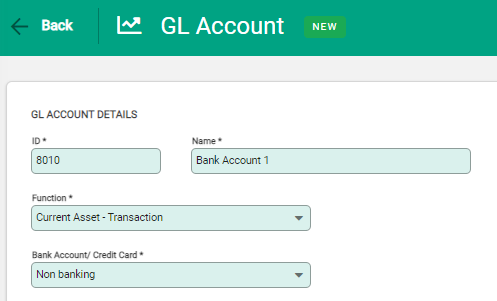
Enter the details for the new account as follows:
- ID and Name - Enter the bank account GL ID and Name details.
- Function - Set as Current Asset – Transaction or Current Liability - Transaction to activate the Bank Account / Credit Card field.
- Bank Account / Credit Card - Choose either Bank Account or Credit Card from the drop-down.
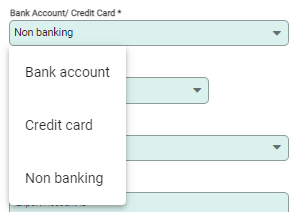
After choosing Bank Account or Credit card new fields display for further setup of the account.
For a Bank account:
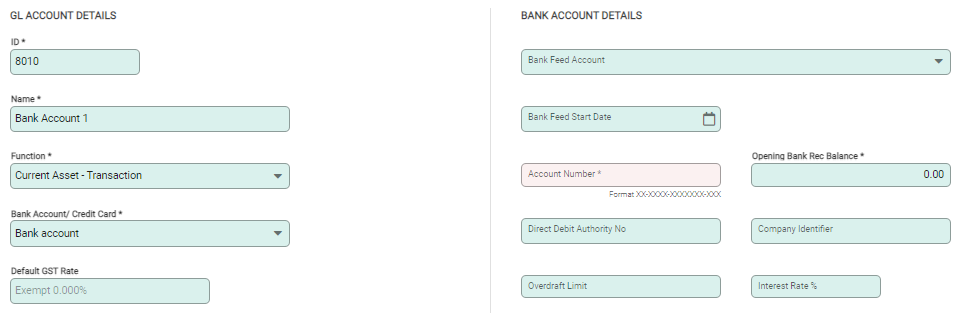
- Account Number - This must be a recognised bank account number.
- Opening Bank Rec Balance - Enter a value if there is an existing balance in the bank account.
For Australian bank accounts, you’ll need to provide the following details:
- Financial Institution: The bank’s short name.
- UPS Name: This field isn’t validated, so you can enter any number to satisfy the requirement.
- APCA Number: A unique 6‑digit number issued by Australian financial institutions to identify businesses authorised to process direct debits or credits. If you’re unsure of your APCA number, please check with your bank.

For a Credit Card:
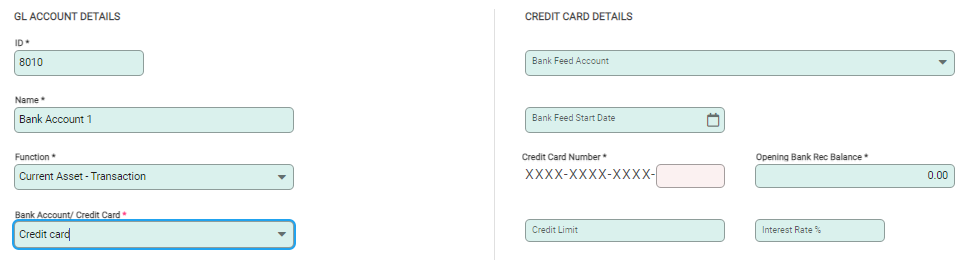
- Card number - Only the last four digits are required for recording Credit Cards.
- Opening Bank Rec Balance - Enter a value if there is an existing balance.
For a Non-banking Reconcilable account:
Choosing Non-banking reconcilable account, allows accounts to be set up that are reconcilable but aren't bank accounts. For example a term deposit, or non transactional investment account.
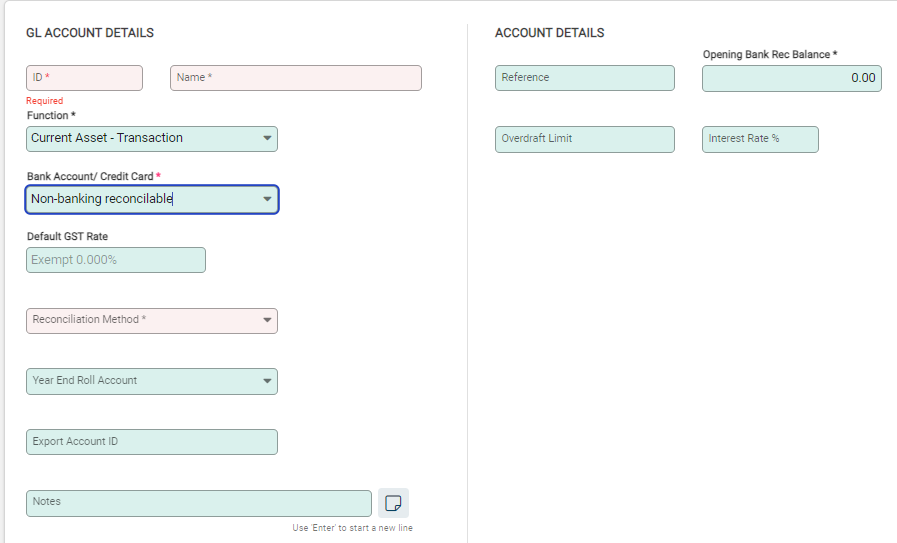
- Reference - Record any specific reference for the account, such as a loan number.
- Opening Bank Rec Balance - Enter a value if there is an existing balance.
Non-banking reconcilable accounts can be viewed under the Bank Accounts sub module to be reconciled alongside bank accounts.
Select Save to create the new account and return to the General Ledger. Bank Accounts are identified with a coin symbol so they are easily recognised in the General Ledger. Credit Card accounts display with a card icon next to them.
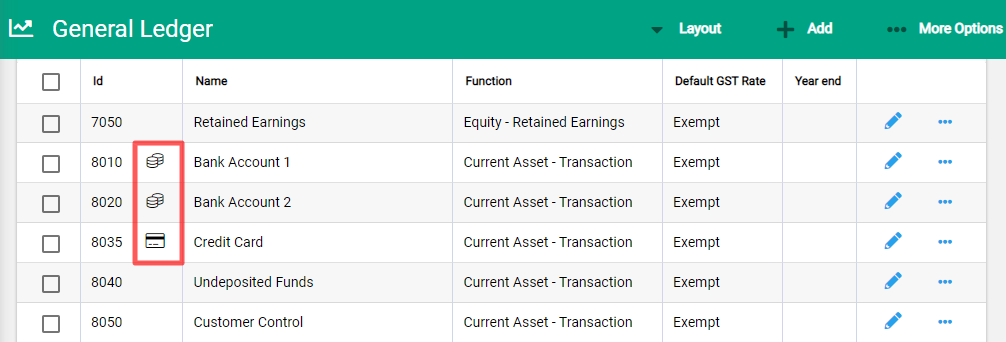
The Spill menu beside each bank account provides extensive navigation and commands for the bank accounts. These are also accessible from ...More Options within a bank account. Within a bank account, information and transaction history is available via multiple tabs and Enquiry.
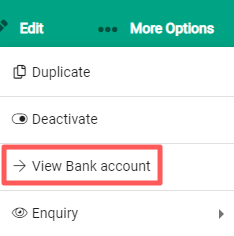
Switch between the GL Account and the Bank Account using ...More Options. This provides quick transition and gives full access to all bank account information via both the Bank Account and the GL Account.